SORTIE
4,000 clashes, 200 actual problems.
- C#
- Navisworks API 2022 to 2027
- WPF
- xUnit
Before a building is built, designers combine the models from every discipline and let software look for places where things collide, such as a pipe running through a beam. These are called clashes, and one check can find thousands. SORTIE groups them by area of the building so each team can see its share, and it carries notes and decisions over when the check is repeated.
The problem
A clash check can report thousands of clashes when the real coordination problems number only a few hundred. Sorting them by area, and keeping their status when the checks are rerun or the files change, takes days.
What it does
SORTIE (Status Organiser, Renamer and Transferrer for Interference Events) is an add-in for Navisworks Manage 2022 to 2027.
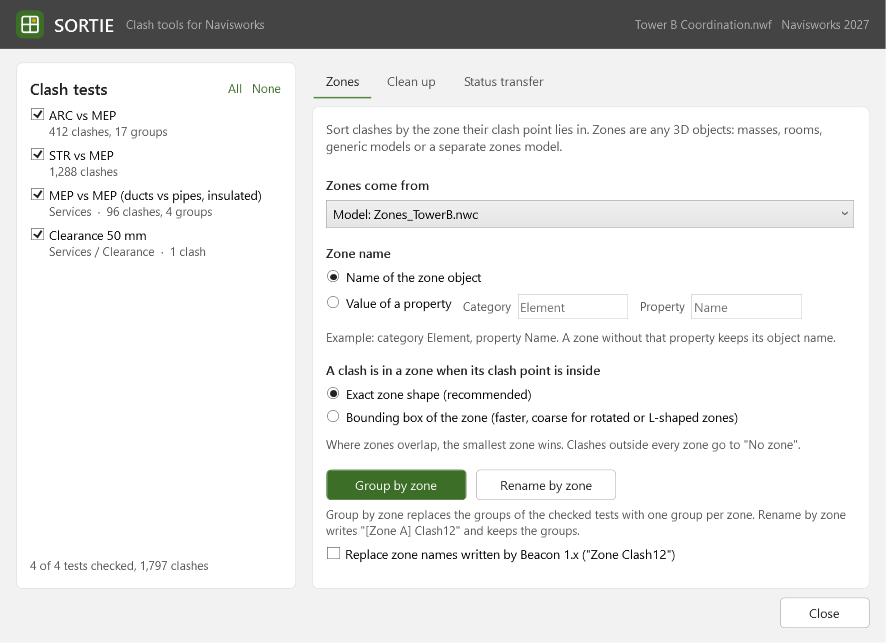
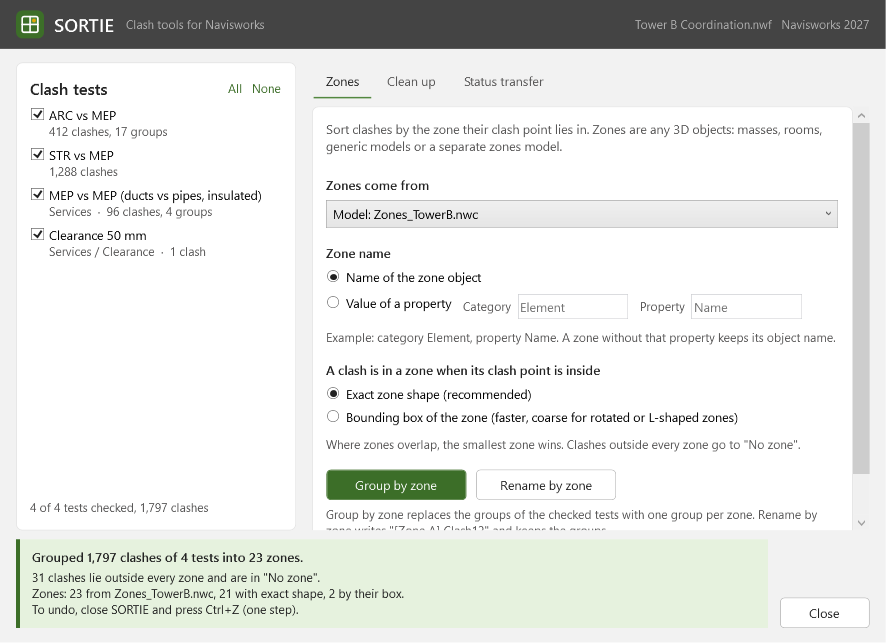
Zones. It groups clashes by the zone of the building they sit in, one group per zone, or adds the zone name in front of each clash name. A zone can be any 3D object, such as a mass, a room or a separate zones model, and its real shape is used rather than a simple box around it. Where zones overlap, the smallest one wins.
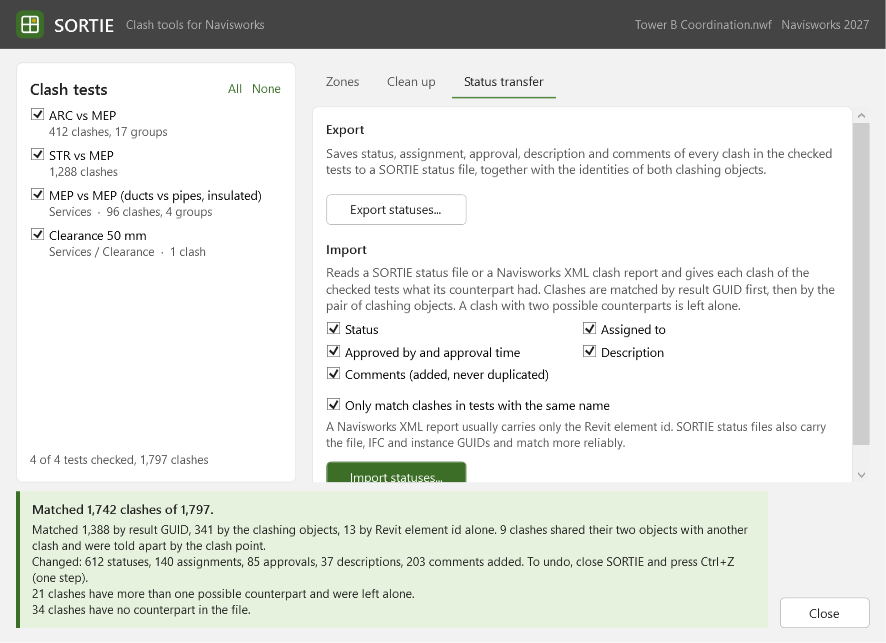
Status transfer. It saves each clash's status, assignee, approval, description and comments, and loads them back onto the same clashes in this file or another Navisworks file, also from a Navisworks XML clash report. Clashes are matched by their unique ID first and then by the pair of elements involved.
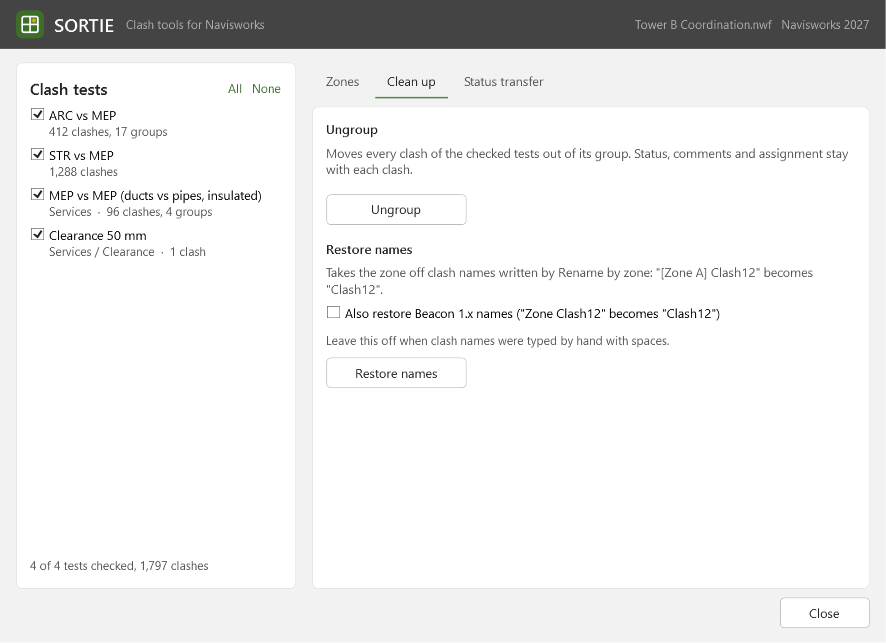
Clean up. It moves clashes back out of their groups, or removes the zone names again.
Features
- Groups clashes by the zone their clash point lies in, one group per zone, or adds the zone in front of each clash name
- Zones can be any 3D objects: masses, rooms, generic models or a separate zones model
- Uses the real zone shape, with a simple bounding box as a faster option for simple zones
- Where zones overlap, the smallest wins; clashes outside every zone go to a "No zone" group
- The zone name comes from the object's name or from any of its properties
- Saves the status, assignee, approval, description and comments of clashes to a file
- Loads them onto the same clashes in this or another Navisworks file, also from a Navisworks XML clash report
- Matches clashes by their unique ID first, then by the pair of clashing elements; a clash with two possible matches is left alone
- Clean up: moves clashes out of their groups, or removes the zone names again
- Every action works on the clash tests you tick and is one undo step
- One add-in for Navisworks Manage 2022 to 2027, with its own ribbon tab, keyboard shortcuts and a per-user install
Terms on this page
- Navisworks
- Autodesk software that combines the models of all disciplines into one and checks them for clashes.
- Add-in
- A small program that runs inside another program, here inside Revit or Navisworks, and adds new buttons and features to it.
- Clash
- A place where two parts of a building model collide, for example a pipe running through a beam.
See it
Screenshots & demos