Family Validation
Clean families in, clean library out.
- C#
- Revit API 2023 to 2027
- WPF
- .NET Framework 4.8 / .NET 8 / .NET 10
- no third-party libraries
Revit models are built from reusable components called families, such as a door, a chair or a light fitting. Companies keep libraries of hundreds of them, and one badly made family can slow down every project that uses it. Family Validation checks a whole folder of families against the company's rules, fixes what it safely can, and writes a report.
The problem
One badly built family, for example one with an imported CAD drawing inside it or in the wrong category, slows down every project that loads it. Nobody checks hundreds of them by hand.
What it does
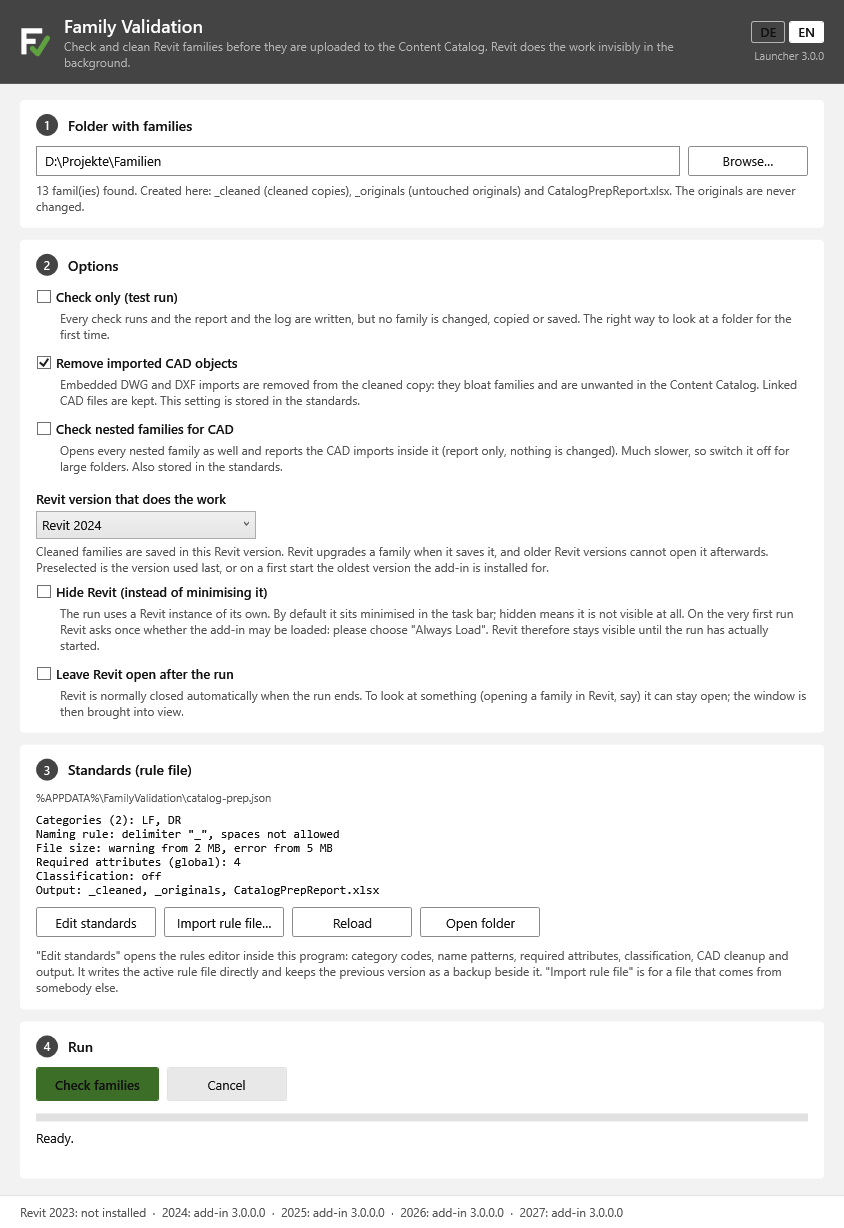
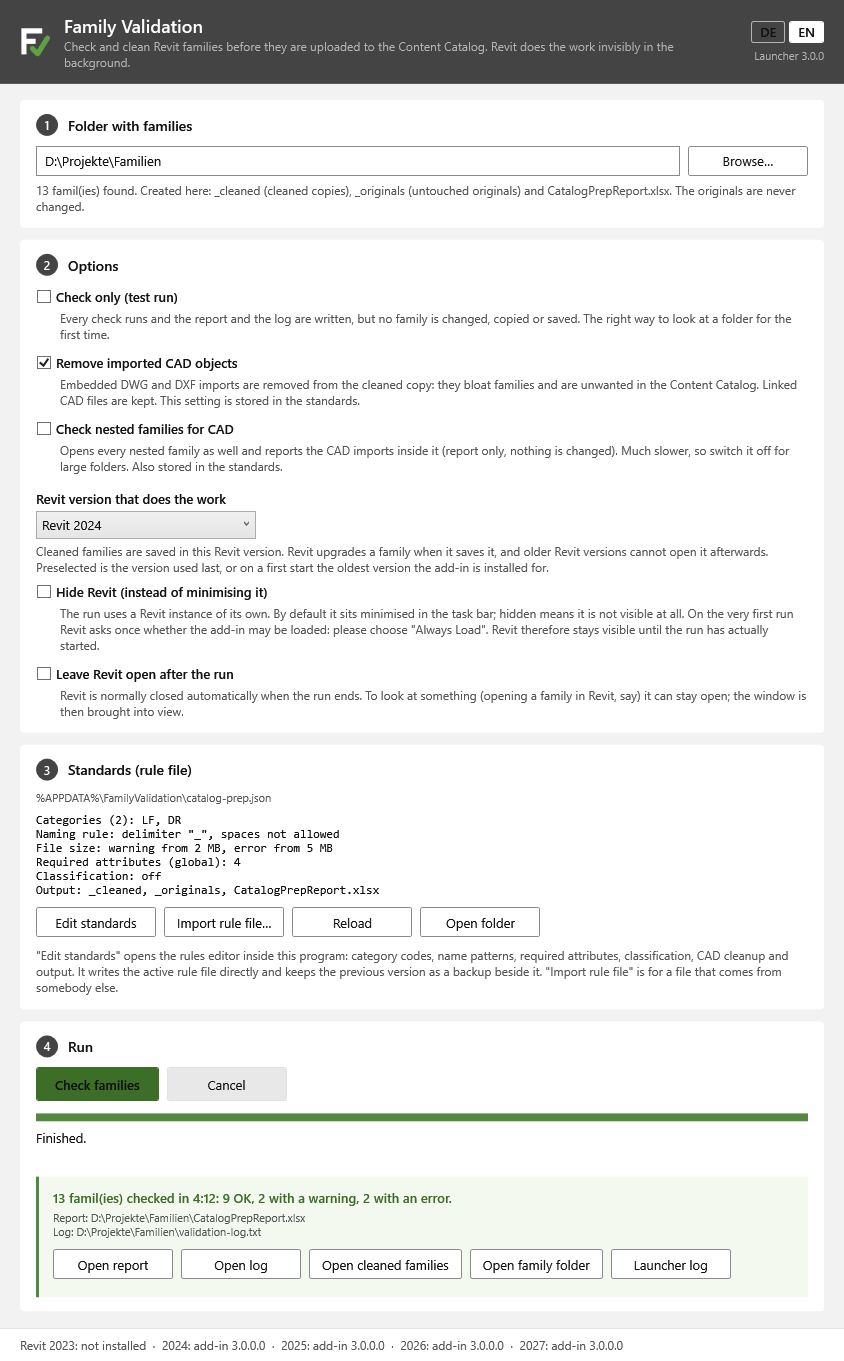
A small launcher program runs Revit in the background, opens every family in a folder and checks it: the file name against the naming rules (correcting the category prefix when that is safe), imported CAD drawings inside the family (removed, while linked CAD files are kept), whether the name matches the category, required parameters, file size limits, and an optional classification code such as DIN 276 or Uniclass. The checked families are then ready for the company library or the Autodesk Content Catalog.
Safe by design. The original file is copied aside before anything else, and a family that cannot be copied is skipped, never touched. Cleaned copies go to their own folder, the original files are never changed, and a dry run writes the full report without changing anything.
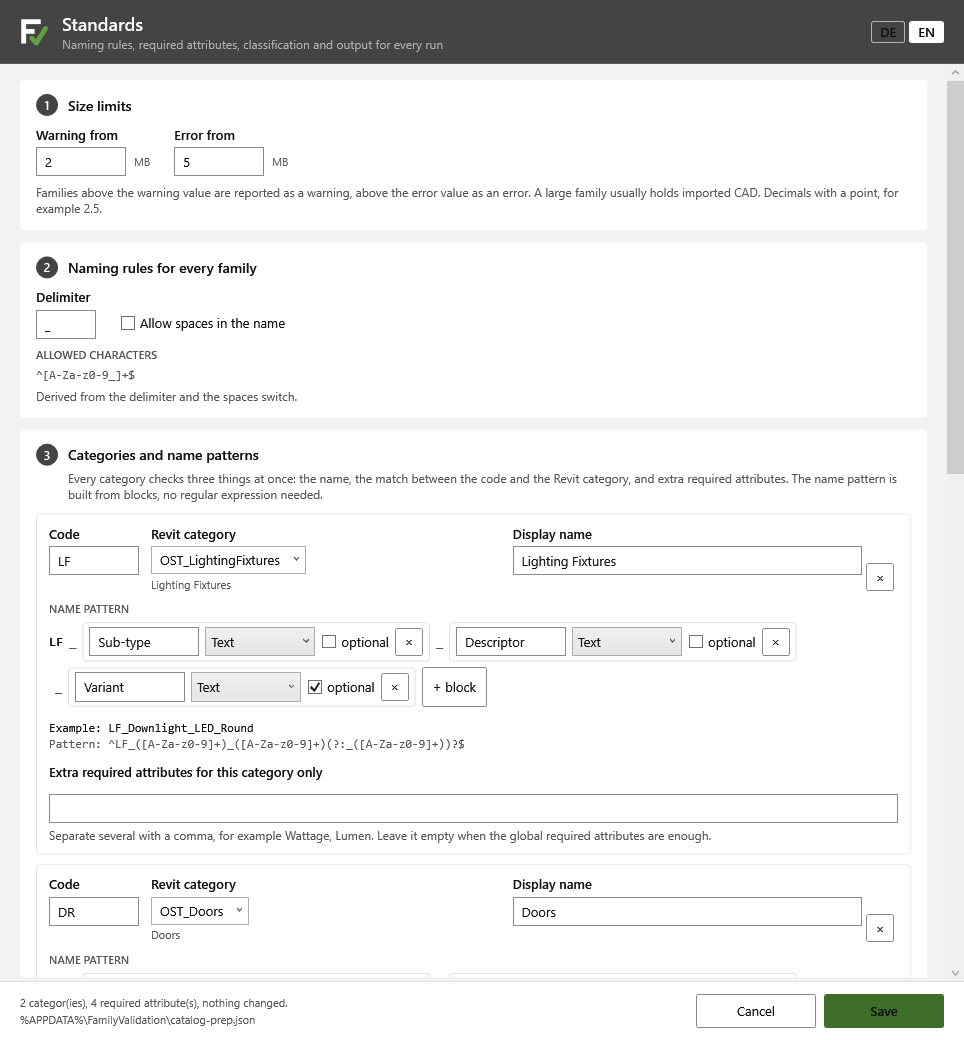
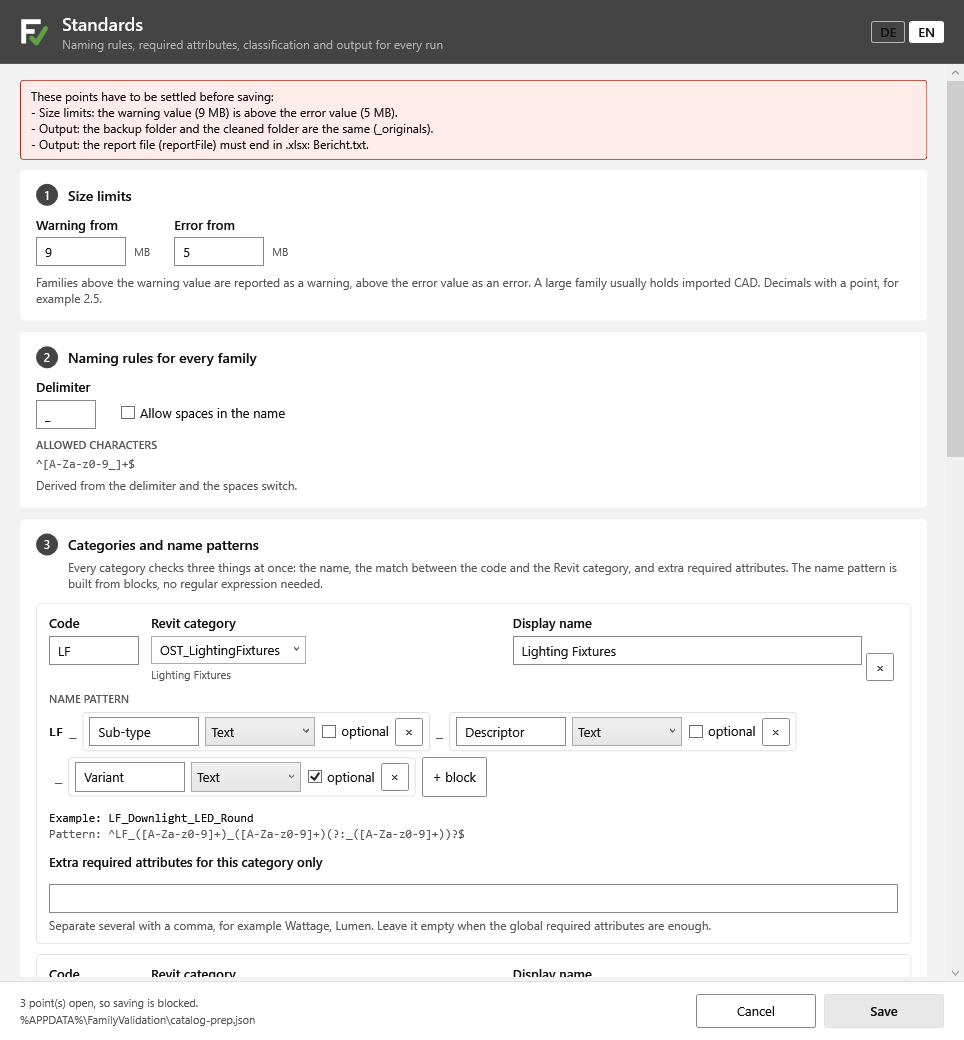
A visual rules editor lets people who do not write code maintain the standard: categories and name patterns are built from simple blocks, and the editor refuses to save a set of rules that the check would reject.
Features
- Checks a whole folder of Revit families without the user opening Revit: a launcher runs a hidden Revit
- File name against the naming convention, with a safe automatic fix of the category prefix
- Removes imported CAD drawings, keeps linked CAD files, and can also check families nested inside others
- Checks that each family's category matches its name
- Required family parameters: present, of the right kind, and optionally filled in
- File size warning and error limits
- Optional classification code check against DIN 276, Uniclass or your own pattern
- Originals are copied aside before anything else; cleaned copies go to their own folder; originals are never changed
- Dry run that writes the full report without changing a file
- Excel report sorted worst first, plus a log
- Visual rules editor: name patterns from blocks, refuses rules that would fail, keeps backups, and imports rule sets from colleagues
- Revit 2023 to 2027, German and English, no third-party libraries
Terms on this page
- Revit
- Autodesk's main software for designing buildings as BIM models. Most architects and engineers use it.
- Family
- A reusable Revit component, such as a door, a window, a chair or a light fitting.
See it
Screenshots & demos